
















Choose location
Choose location
Global
-
-
North and Central America
Can't find your location? Visit our global site in English.
-
South America
Can't find your location? Visit our global site in English.
- Asia
-
Oceania
Can't find your location? Visit our global site in English.
-
Europe
- Austria - Deutsch
- Belgium - English Français
- Czech Republic - Česky
- Finland - Suomalainen
- France - Français
- Germany - Deutsch
- Italy - Italiano
- Kazakhstan - Русский
- Netherlands - Nederlands
- Poland - Polski
- Portugal - Português
- Romania - Română
- Spain - Español
- Switzerland - Deutsch Français Italiano
- Sweden - Svenska
- Turkey - Türkçe
- United Kingdom - English
- Africa and Middle East
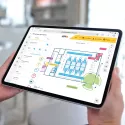
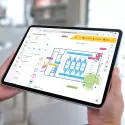
Remote Access for AXIS Camera Station Pro
Axis Secure Remote Access for Pro makes it possible for a smartphone, PC client, or web browser to access your AXIS Camera Station Pro server — even when the client and server are on different networks.
Easy to Set Up
Axis Secure Remote Access for Pro simplifies remote access installation. Once enabled, it is automatically configured, eliminating the need for manual port forwarding or complex router configuration — which also increases the overall security of the system.
Easy Access — Anywhere, Any Client
AXIS Camera Station Pro version 6.19 and higher offers the same experience whether you're on-site or remote. The same client is used both locally and remotely, so there's no need for a separate remote application. You can also connect easily through the web client from any browser without installing software. Only the minimum data required to establish connection is shared with Axis, and there is no version dependency between clients and servers, meaning they don't need to run the exact same software version.
Secure Communication
Security is at the core of Axis Secure Remote Access. The technology uses multiple levels of authentication to establish encrypted communication between the client and the server in the surveillance system, protecting video data in transit.
Availability
Axis Secure Remote Access for AXIS Camera Station Pro is supported by multiple mediator servers located in North America and Europe, ensuring reliable connectivity across regions
Set up without Axis Secure Remote Access
In this scenario you are responsible for establishing a secure network connection between the server and the clients.
1. A system user (A) with a Windows account (C) with access to the AXIS Camera Station Pro server (B). The user uses account (C) to connect directly to the server (B) using a client.
2. The server is configured as a completely standalone system, without using any services provided by Axis. The network can be configured so that the server (B) is accessible only on the local network, through a VPN, or over the internet. For more information, see Connecting server via port mapping.
3. The user (A) uses account (C) to connect directly or via VPN to the server using a client.
Initiation of a connection with Axis Secure Remote Access
Axis-hosted signaling servers allow the clients and server to discover each other and establish secure peer-to-peer connections whenever possible. Any server on the local network can then be accessed remotely through this service. As a fallback, when direct p2p communication cannot be established, traffic is relayed through the mediator servers. Users benefit from a user unique account across all Axis cloud services, providing one identity throughout the Axis ecosystem and a separate local or Active Directory account for the AXIS Camera Station Pro servers, so user permissions remain consistent across all clients, ensuring the same access control regardless of how or where users connect.

Windows account (C) with access to the AXIS Camera Station Pro server (B).
B. A server configured to connect to Axis cloud services.
C. A local Windows or Active Directory user account on the AXIS Camera Station Pro server. Instructions for creating a local Windows user can be found here: Create Windows user.
D. A user account for AXIS Secure Remote Access with one of the following roles assigned: Admin, Operator, Viewer, or ACS Pro Secure Remote Access role. We recommend that each user (A) uses an individual account. Accounts can be created here.
E. Axis cloud services include authentication, signaling, STUN, and TURN.
1. If cloud services are enabled, the AXIS Camera Station Pro server will always ensure that it has an open, two-way communication connection to the Axis-provided services.
2. When a user (A) initiates a connection to an AXIS Camera Station Pro server (B), the client—web client, mobile app, or Windows client—connects to the Axis cloud services (E). The user (A) is authenticated using the Axis account registered with Axis cloud services(D).
System operation
Below is a description of how a connection is handled after it has been authenticated.
A. A system user with access to both a registered account at axis.com and another account with access to the AXIS Camera Station Pro server (B).
B. An AXIS Camera Station Pro server configured to connect to Axis cloud services.
E. Axis cloud services include authentication, signaling, STUN, and TURN.
1. The client and server will attempt to establish an encrypted, direct peer-to-peer connection.
2. If the peer-to-peer connection cannot be established, the client and server will fall back on Axis relay servers.
Additional information
Information about network and firewall requirements can be found in the manual and more technical background can be found in the white paper for Axis Secure Remote Access.